Situation
The operational process in the printing studio is slowed down due to the length of the photo printing workflow. Operators should alternate using online background eraser services and desktop design software. In addition, there is no automated system that calculates cutting line spacing or optimizes the utilization of free space on printed paper.
Task
The goal is to build a web-based computing tool that can replace the essential functionality of desktop design software for studio print needs. The main technical challenge was designing a system capable of executing high-resolution images and AI integration, without burdening studio operational costs with the rental of a graphics computing server (GPU).
Action
The approach taken is to delegate the entire computational process to the client side (browser) using the Vanilla JavaScript ecosystem:
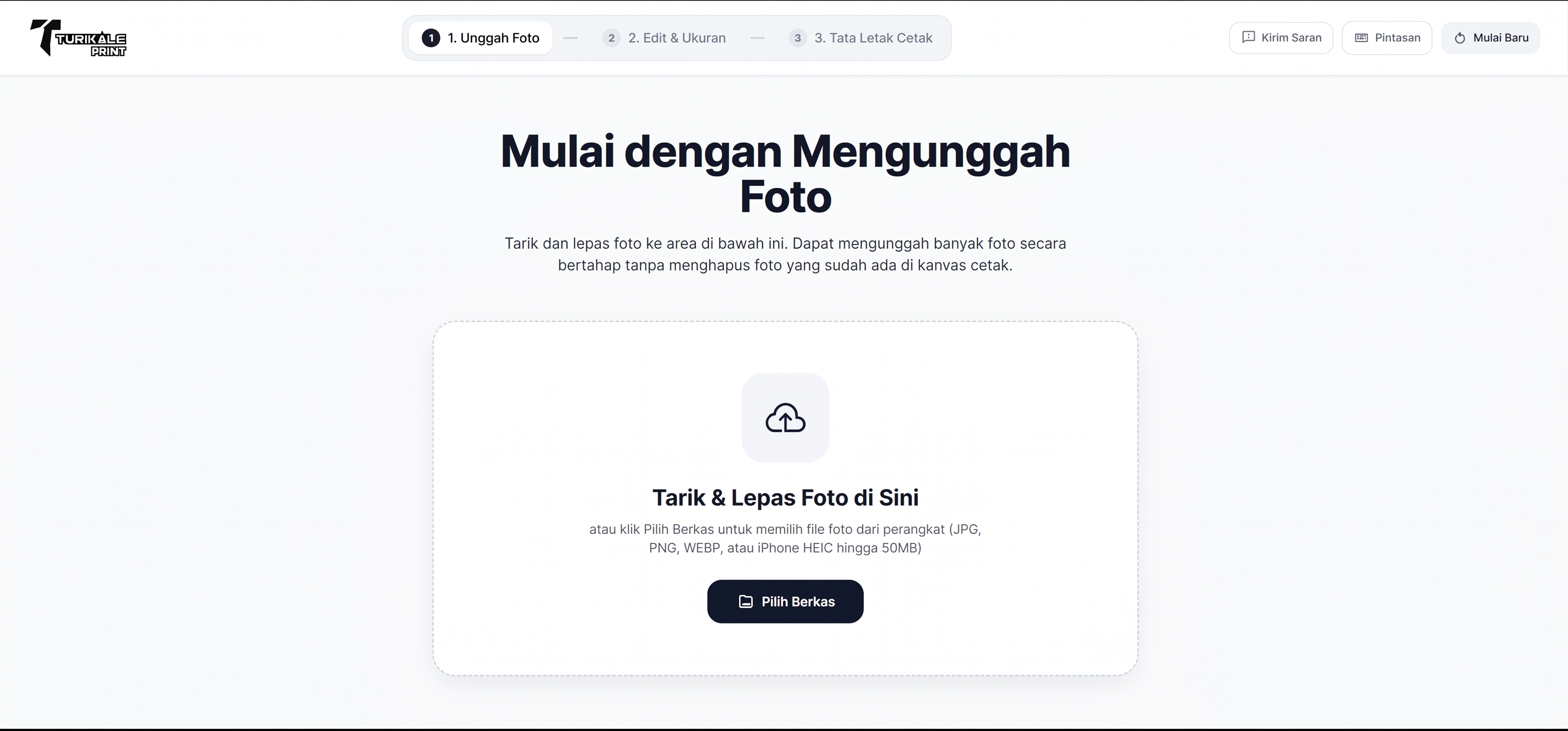
1. Format Handling: Integrates heic2any so the system can read and convert the iPhone's built-in HEIC photo format locally at the cash register.
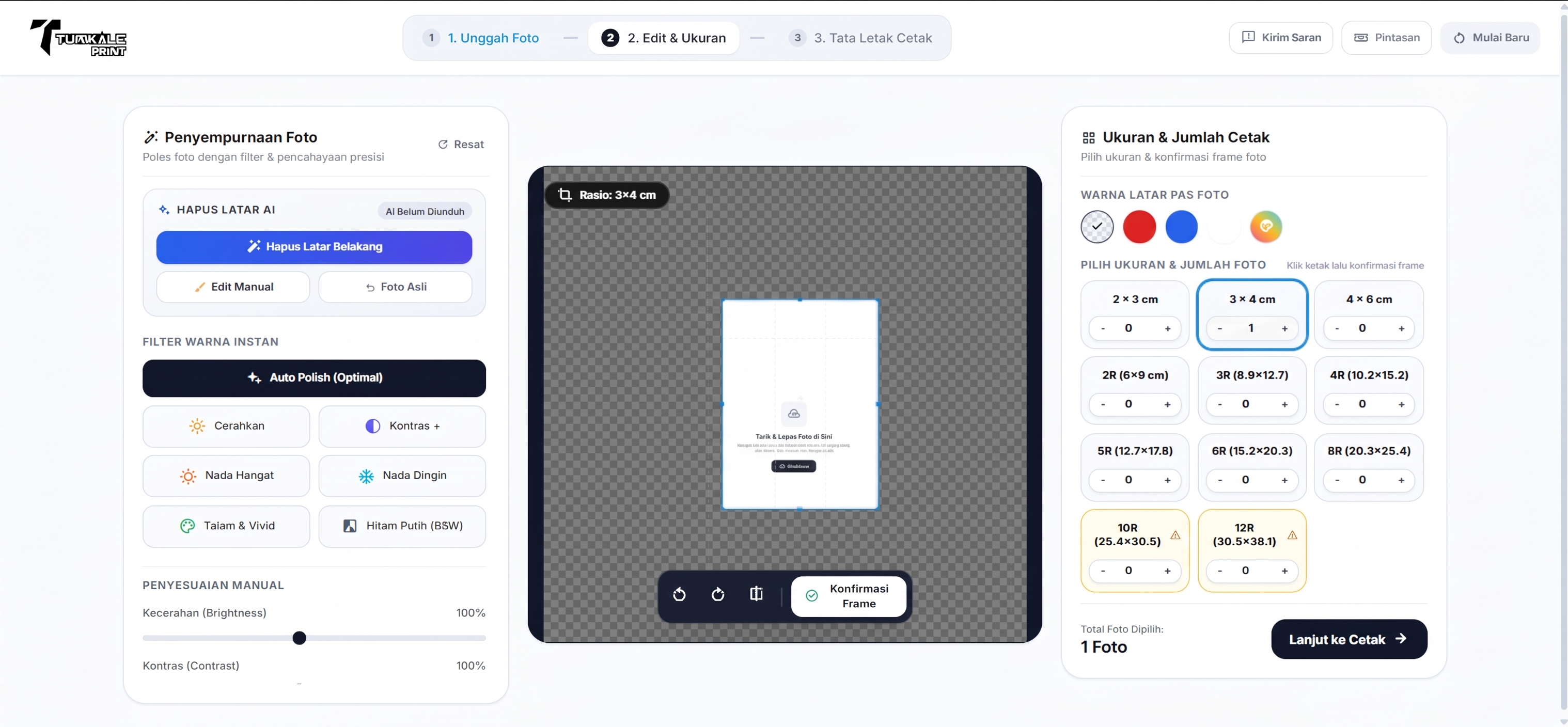
2. Edge AI Processing: Utilizes the WebAssembly (WASM) -based AI @ imgly model. This model is downloaded to the browser cache to perform background detection and removal using the local device CPU, eliminating the obligation to upload to the server.
3. Canvas Engine: Implement pixel manipulation via HTML5 Canvas (using destination-out and source-in composite methods) to provide manual brush/eraser features.
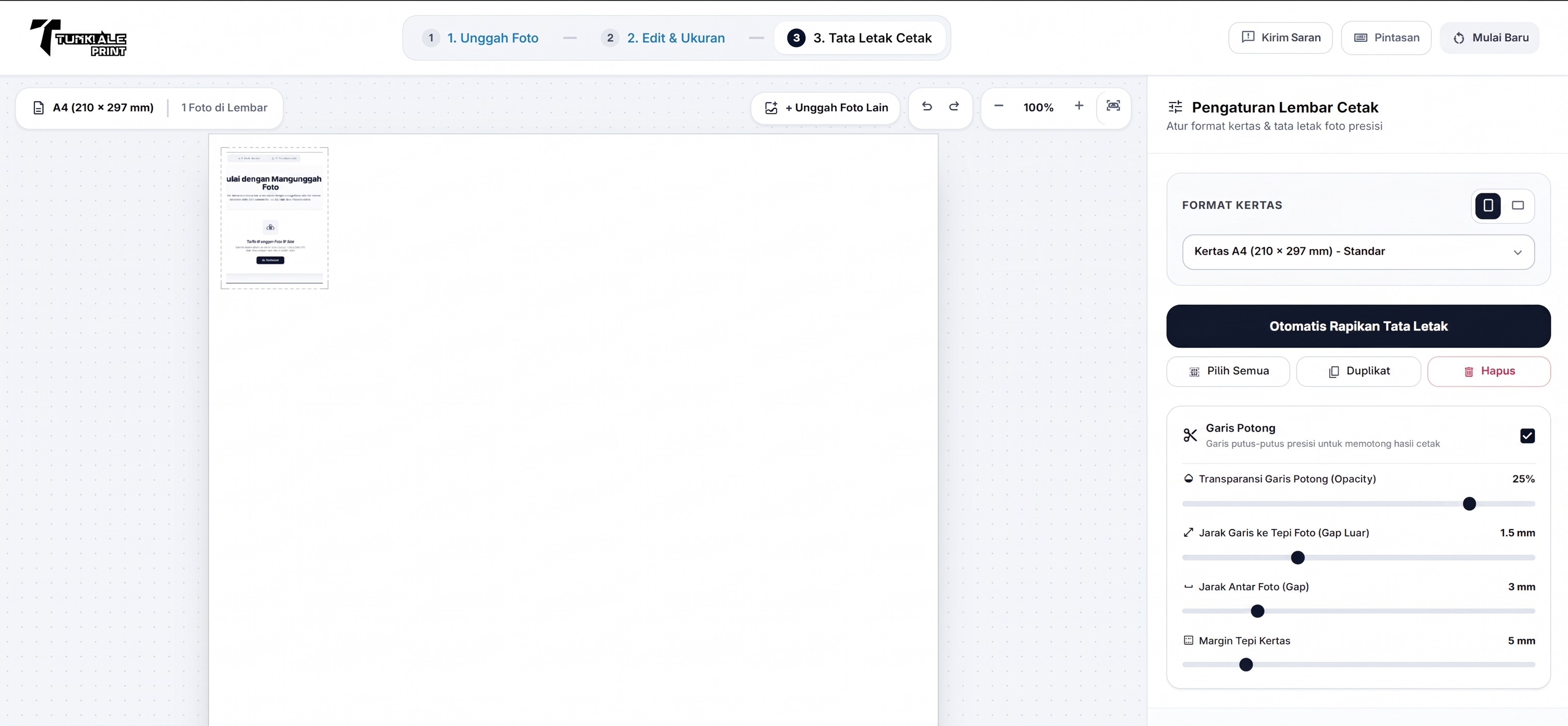
4. Auto-Layout Algorithm: Develops a dynamic image compilation algorithm (packing algorithm) that performs millimeter-to-pixel conversion calculations, as well as inserts margins and cutting marks automatically on the print canvas.
Result
The app compresses 6 steps of manual workmanship into 1 single web interface, cutting processing time from about 5-10 minutes to less than 3 minutes per order. The platform runs locally without backend communication for its image processing, freeing the studio from the burden of additional server costs and scalability barriers.
System Architecture
Architecture is built with aZero-Backend Processing approach. Application state and logic are managed on the client side using Vanilla JavaScript (const App = {...}). Image data is loaded into RAM (Blob URL), manipulated, and passed directly to the printer (window.print ()). Applications utilize @media print CSS injection to ensure 1:1 print scale is accurate to physical paper dimensions. PHP is only used lightly for recording feedback and analytics.
Technologies & Stack
Challenges & Technical Obstacles
A technical challenge during development is addressing potential browser memory leaks when operators process very large resolution images in sequence. The solution involves implementing garbage collection manually using URL.revokeObjectURL() and limiting scratch canvas resolution to keep browser performance stable.
Engineering Decisions & Trade-Offs
Why execute AI Model on Client-Side (Browser) insteadof Python/PHP Server?
Processing AI on servers requires infrastructure costs (GPUs) that burden studio operations, plus the risk of latency when uploading large files. With WebAssembly (WASM), the AI model is downloaded once to the browser cache (about 15MB), and the background removal process is executed instantly by the operator's local hardware without server processing queues.
Why build a Canvas engine using Vanilla JS instead of a library like Fabric.js?
The main priority is the performance and size of the initial payload (payload) is light. Because its needs are focused on precision cropping, color filters, and layout calculations, building functions using Vanilla JS can avoid hundreds of KB of unused code from third-party libraries. This ensures the application runs very responsive even on cash register devices with standard specifications.
Lessons Learned & Retrospective
- This project proves the scalability and capability of client-side software architecture in solving real operational barriers. Local algorithm optimization and browser memory management can effectively replace the need for expensive server infrastructure.
Future Improvements & Roadmap
- Implementation of the Progressive Web App (PWA) standard with Service Worker intercept so that the application can load and function completely offline, maintaining the stability of studio operations without relying on an internet connection.